01 · Tonight
Focus, Together.
A studying app where your work and your time share one place. A journal for what you're doing. A calendar for when. And the friends you study with, quietly along for the ride.
01 · Tonight
A studying app where your work and your time share one place. A journal for what you're doing. A calendar for when. And the friends you study with, quietly along for the ride.
How It Works
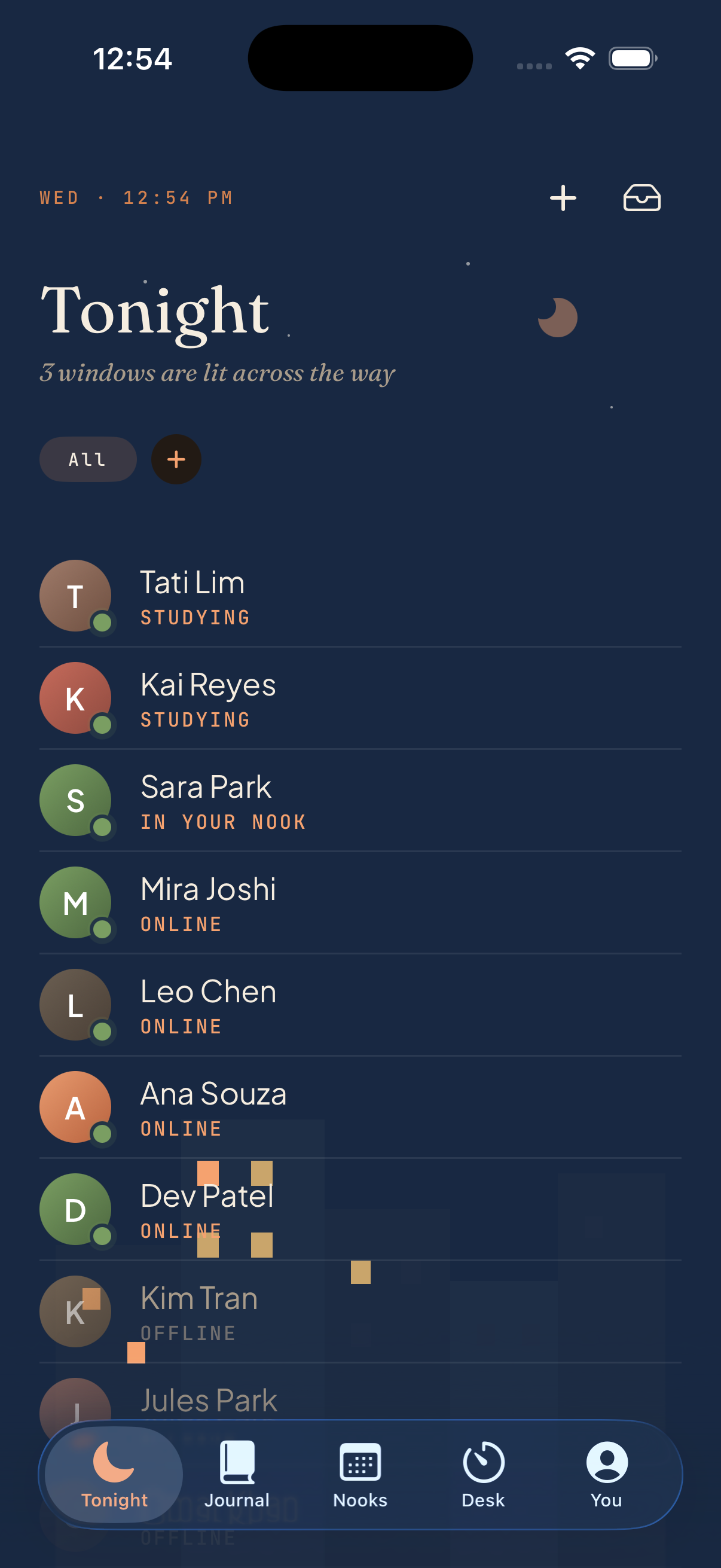
Tap a friend from Tonight and you're in their room — same shared timer, same night-courtyard scene, no mic, no camera. Each friend is a window lit across the way; the desk lamp's color is the phase signal (bright on focus, dim on break). Work quietly side by side until the timer runs out.
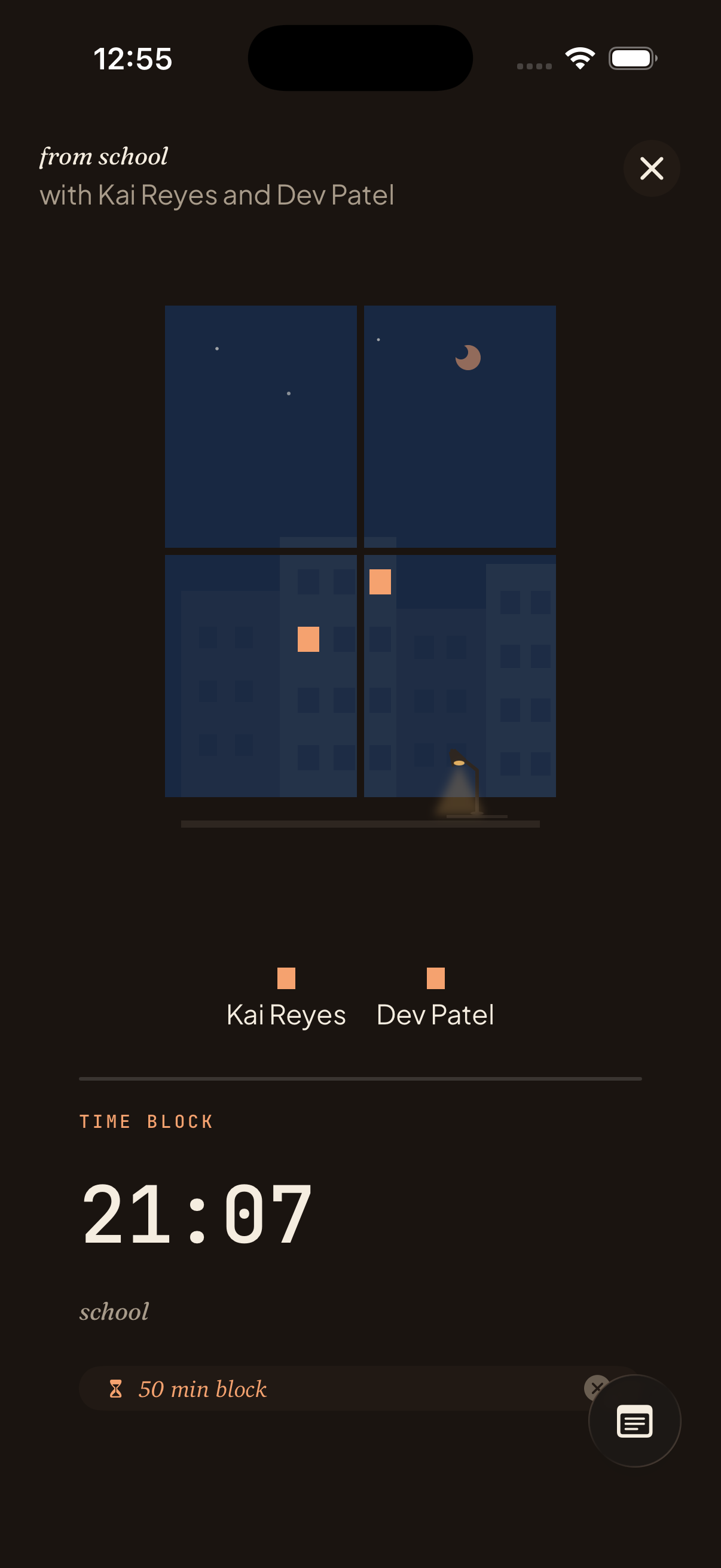
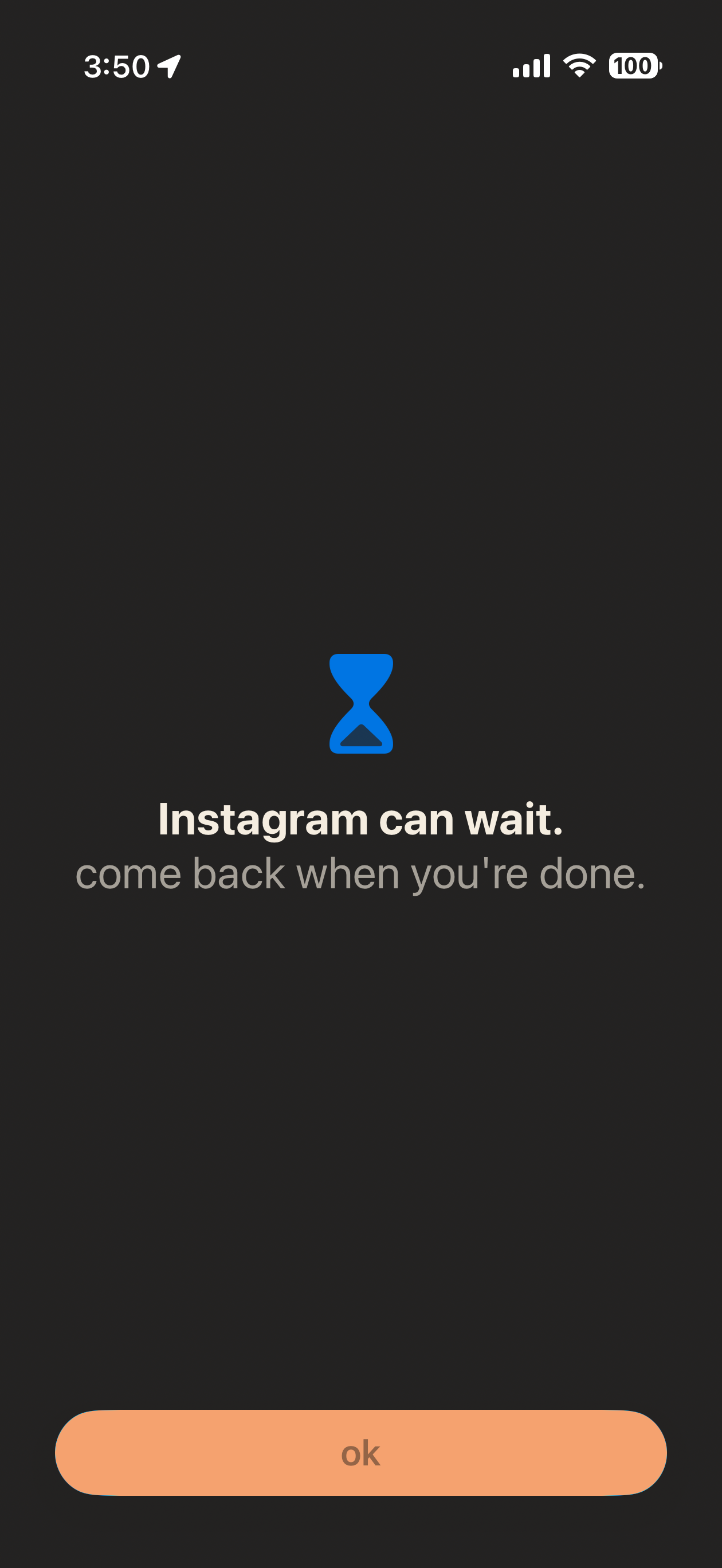
In the loft, everyone's app blocks are on at the same time — yours, theirs, whatever each of you flagged as a distraction. Try to swipe over to Instagram mid-session and the shield answers for you: come back when you're done. The whole room is on the same rules; nobody's the one who checked their phone.
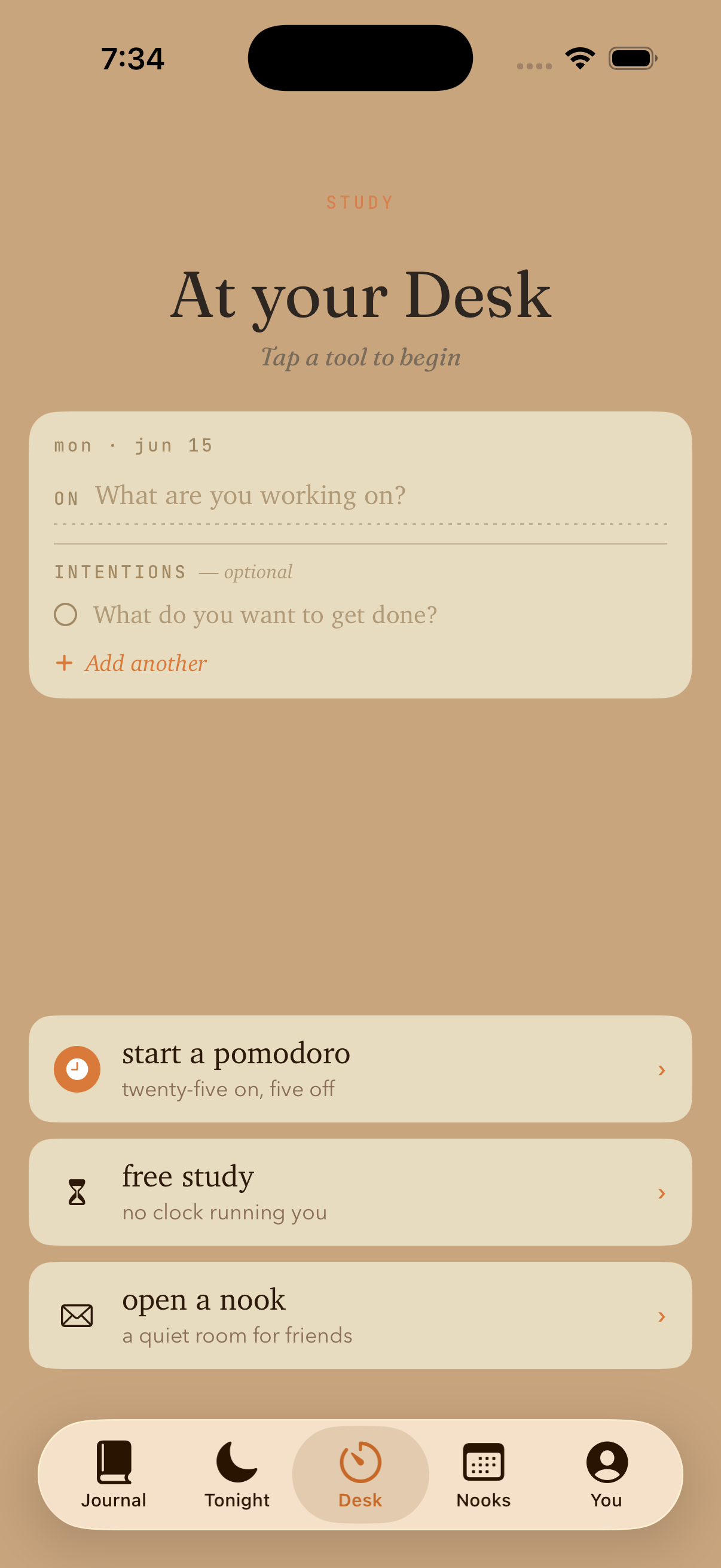
When no one else is on yet, the Desk is where a session begins. Pick a subject (or a /subject tag from your journal), set the day's intention, then pomodoro, free study, or open a nook and invite whoever you'd want beside you. Two taps from "what should I do" to "started."
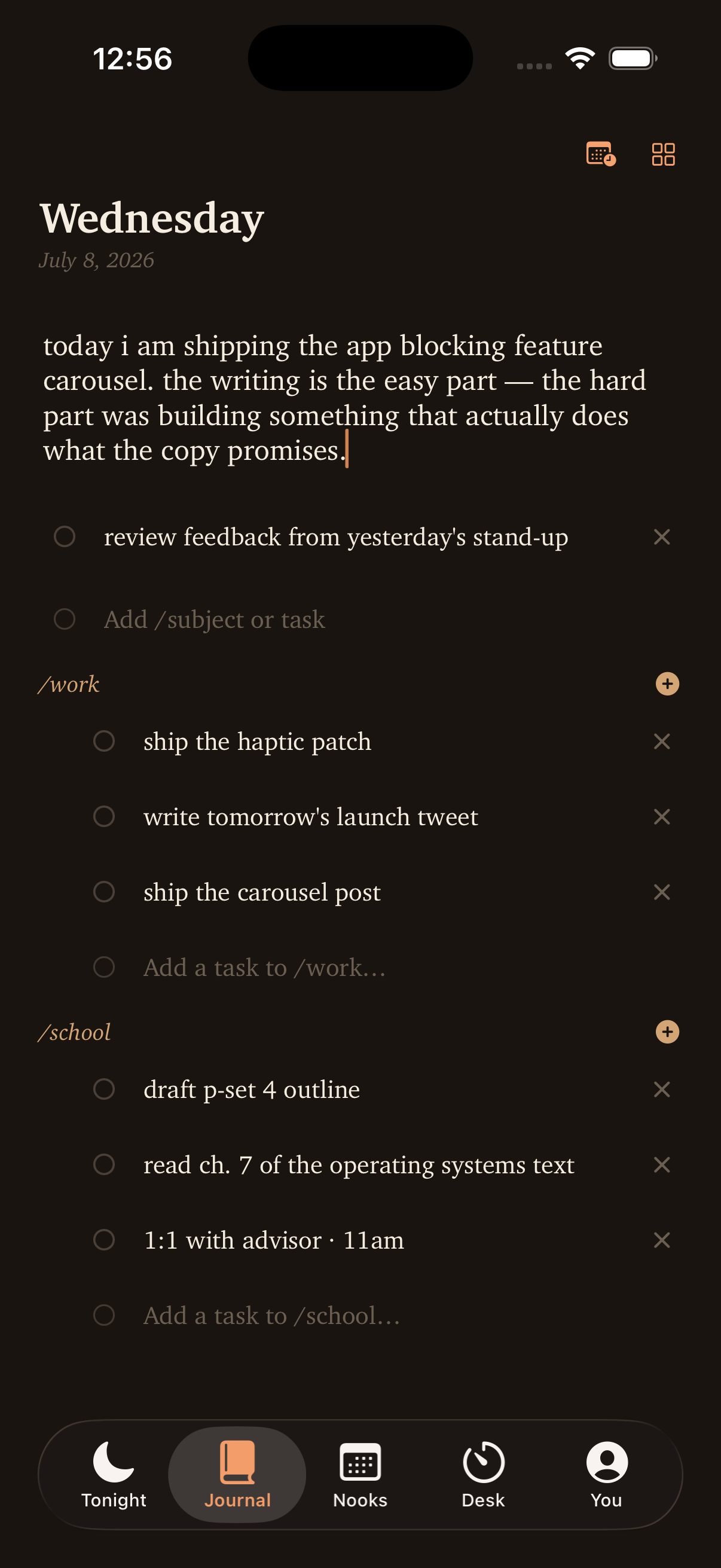
A daily list of what you're working on, tagged by subject. Type /work or /calc and the tag colors the row. Long-press a task to set a real due date, share it with a study group, or start a session for it. Flip the same data sideways into a kanban board when the list-view gets too long.
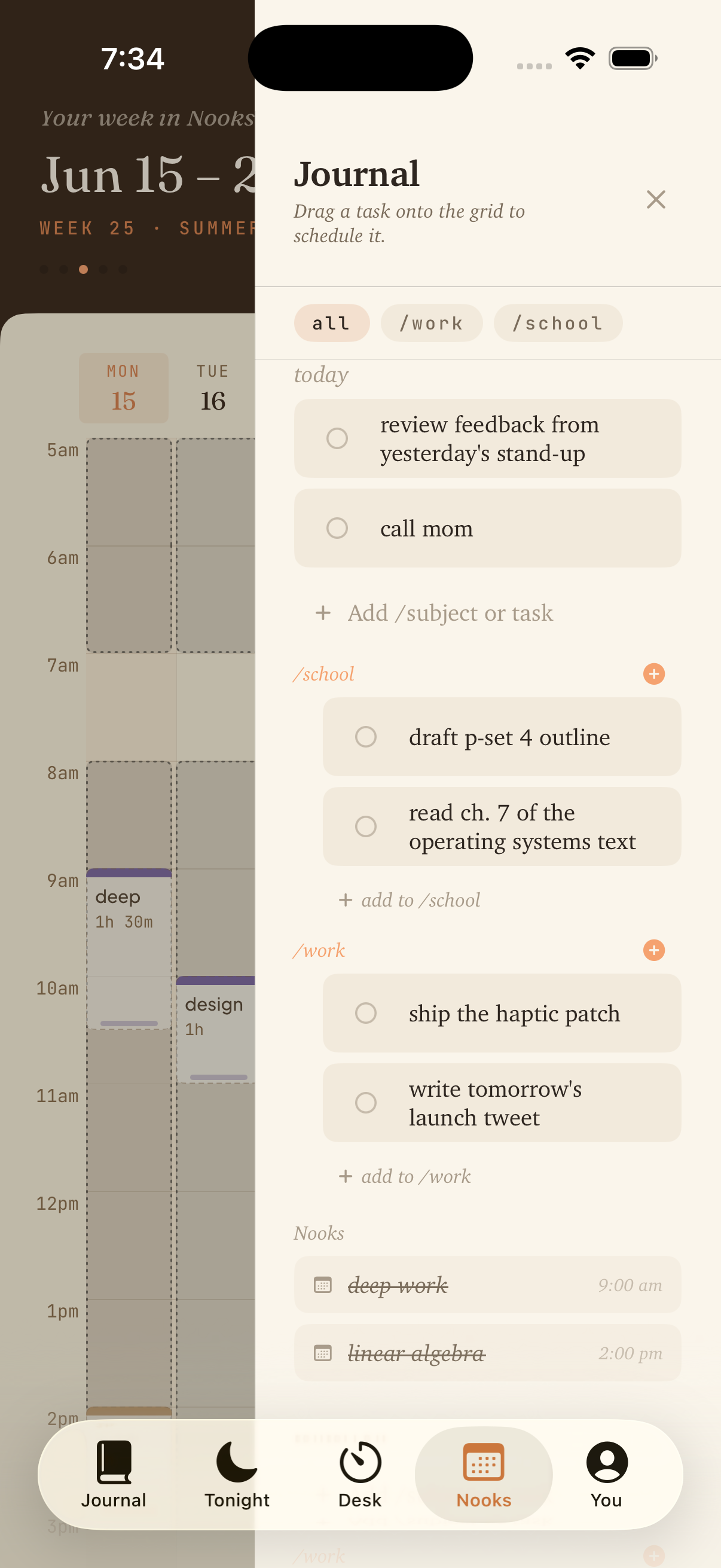
Take today's tasks and drag them onto the week strip. An orange time pill on the gutter shows exactly where the block will land in 15-min increments. Pick weekdays for a recurring focus time, or invite a friend (or a whole circle) and they'll see the block on their calendar at half opacity until they accept.
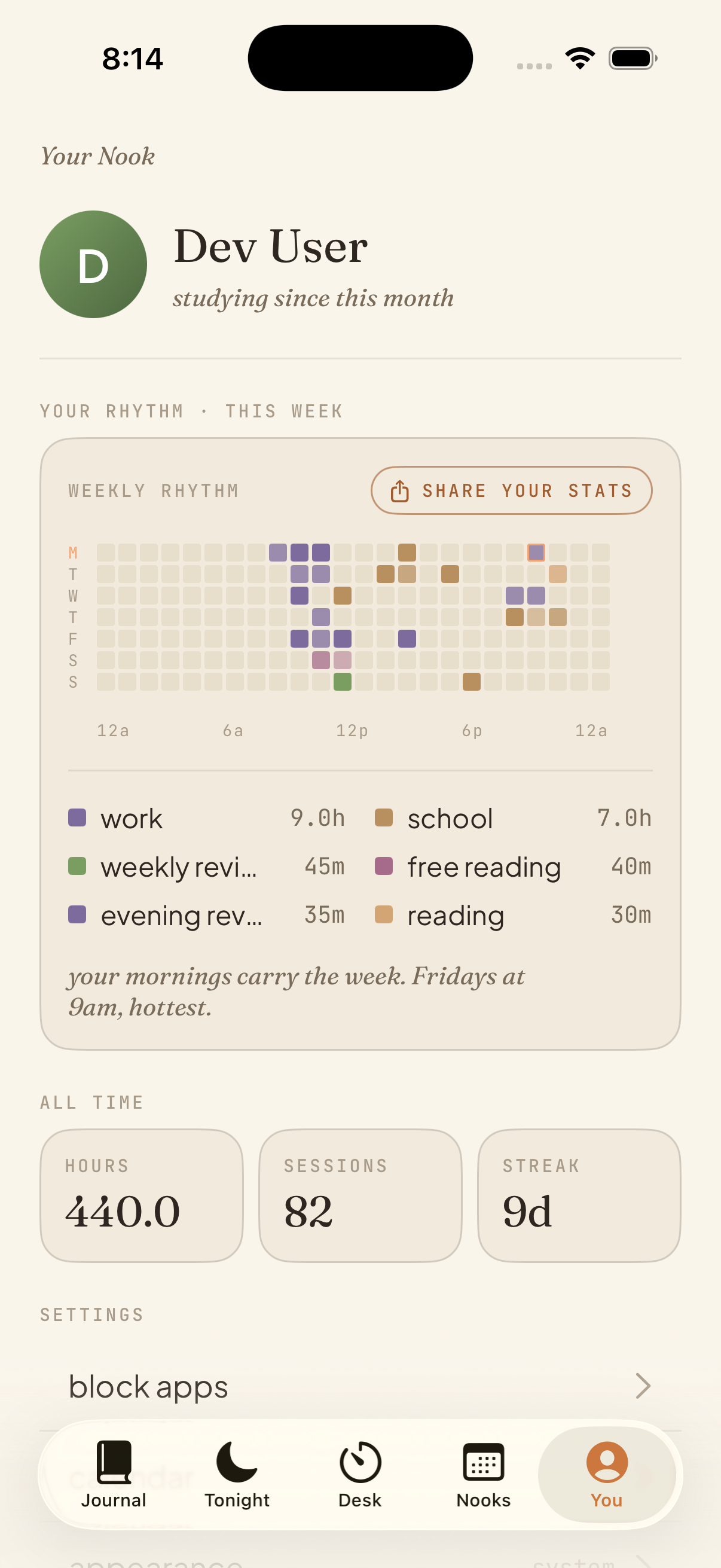
A weekly heatmap of when you study, colored by subject — no judgement, no streaks, no XP. Past sessions, total minutes, the subjects you've leaned into. The honest picture of your week, not the version where you "totally meant to."
The Quiet Truth
Your to-dos are in Notes. Your week is in Calendar. Your study group is in iMessage.
Switching between them is the friction. The work doesn't get harder — finding the work does.
"Anyone studying tonight?" in the group chat never gets enough yes's.
Discord works. If you don't mind your study tool sounding like an esports lobby.
Five Tabs, One App
Tonight
The loft. See who's studying right now.
Journal
List, board, proof. Today's work.
Nooks
The week's focus times, drag-to-plan.
Desk
Where a session begins.
You
How the week actually went.
Studying With People
Circles are small named groups — your study buddies for /calc, your apartment for /work, your debate team for /policy. Whole flows in the app compose with a circle once it exists.
Long-press a task whose /subject matches a circle you're in → "share with study group." That row becomes readable by every member. The owner stays the only writer. Foreign tasks show up in your own journal with a small "shared" chip.
Each circle has an optional default /subject. Create a Nook with the circle selected and the subject pre-fills. Type a task with that subject and the "share with circle" affordance is one long-press away.
Long-press a circle pill on Tonight. Add a to-do for the group, schedule a nook with them already invited, manage members. Quiet entry points instead of separate screens.
Built-In App Blocking
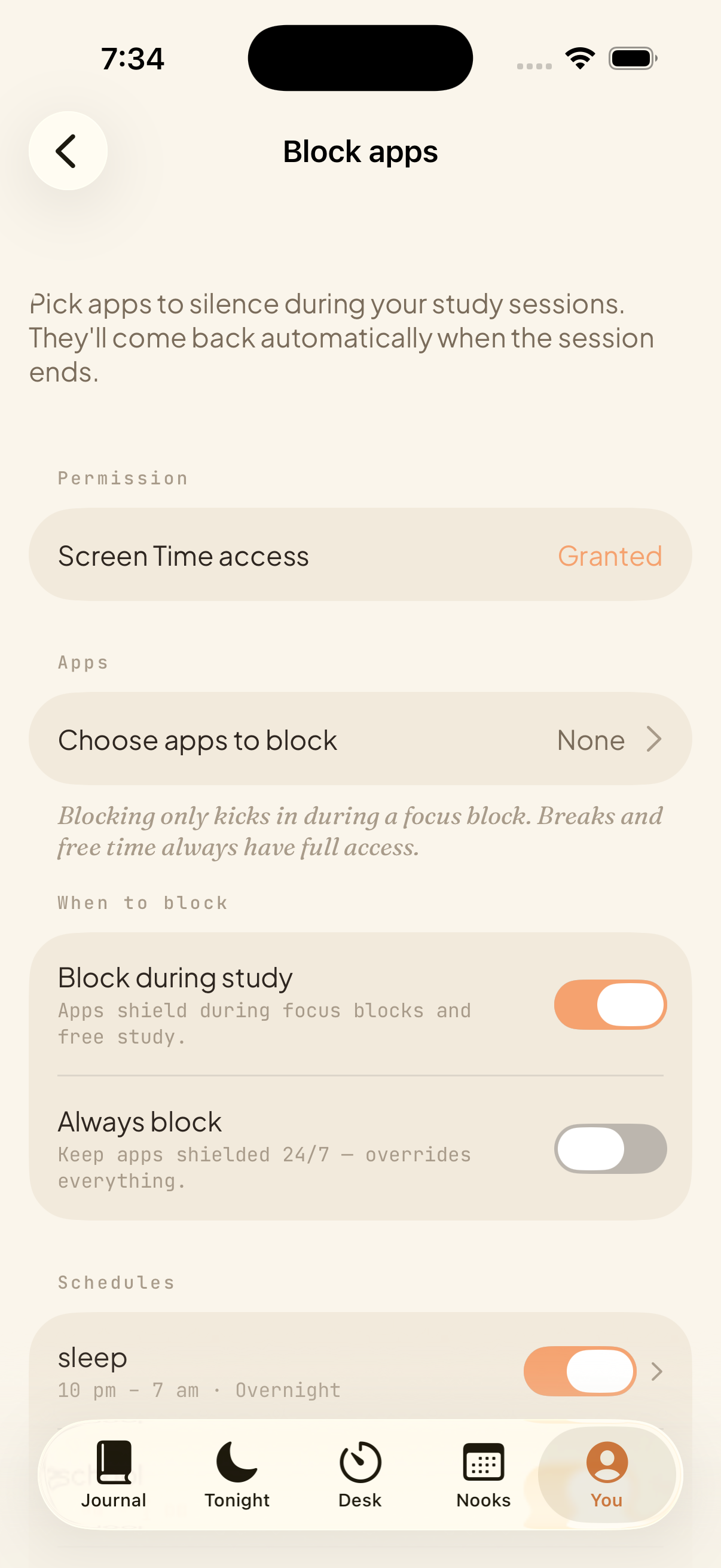
Block apps shields whatever you pick — Instagram, TikTok, Reddit, the whole social category — only during focus blocks and free-study. They come back the second the session ends. No willpower required.
Set always block if you'd rather they stay shielded around the clock. Uses Apple's Family Controls. Nooklo never sees which apps you picked — Family Controls is on-device.
v1.2.4 · What's New
A landscape kanban view on the Journal tab. Six default lanes — Backlog, This Sprint, In Progress, Blocked, Testing, Done. Drag tasks between lanes. Your lanes, your colors, your names.
Full-screen cream page, blinking cursor, nothing else. Autocorrect off, status bar hidden. For when you want to write the day's proof without UI in the way.
Set a due date on any task. Past the deadline + still unchecked = "overdue" in red. The task stays in the day section you wrote it in; the deadline is a separate stamp.
Pick weekdays when creating a Nook. The same time slot repeats every week on the days you chose. One-shot Nooks stay the default.
Friend invites you to a scheduled Nook? It shows on your calendar at half opacity with a dashed border. Tap to accept or decline. After accepting it becomes a normal block — and the host gets a push the moment you say yes.
The whole flow, in two taps. Long-press a journal task → "start a session for this." The Desk opens with subject and intention pre-filled. Press start.
Plus the iOS 26 chrome cleanup, smoother drag-to-resize on Nooks, and app-blocking entitlements restored on Release builds.
On Your Mac, Too
Type a task on iPhone, see it on Mac on next foreground. No separate Mac app, no different feature set — just two surfaces over one backbone. Available wherever you write your proof.
Research-Backed Guides
The research behind social facilitation, body doubling, and synced focus sessions.
Read →A practical guide to using shared presence when solo motivation drops.
Read →How to adapt focus blocks to problem sets, reading-heavy courses, and exam prep.
Read →Frequently Asked
Now on the App Store
A journal, a calendar, and the friends you study with — quietly, in one app.
Download on App Store